The orbit
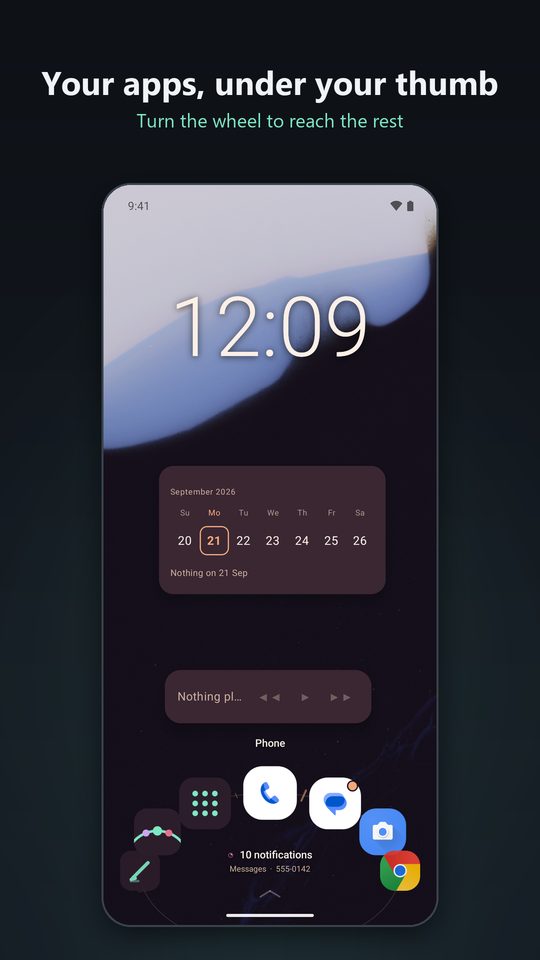
Apps ride an ellipse along the edge of the screen. Turn it and the next app comes round to the front, right under your thumb.
A closer look at everything Orbital can do. For every setting, see the guide.
The real thing
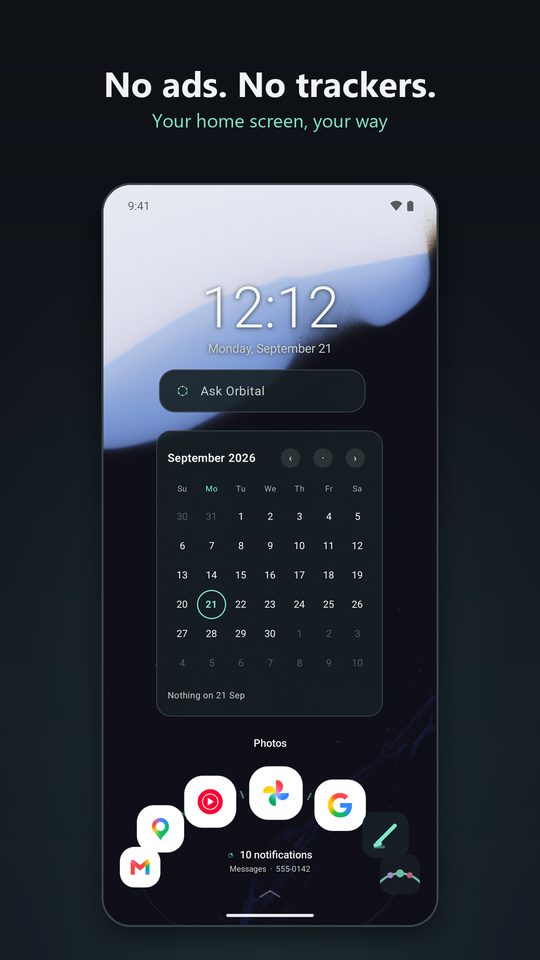
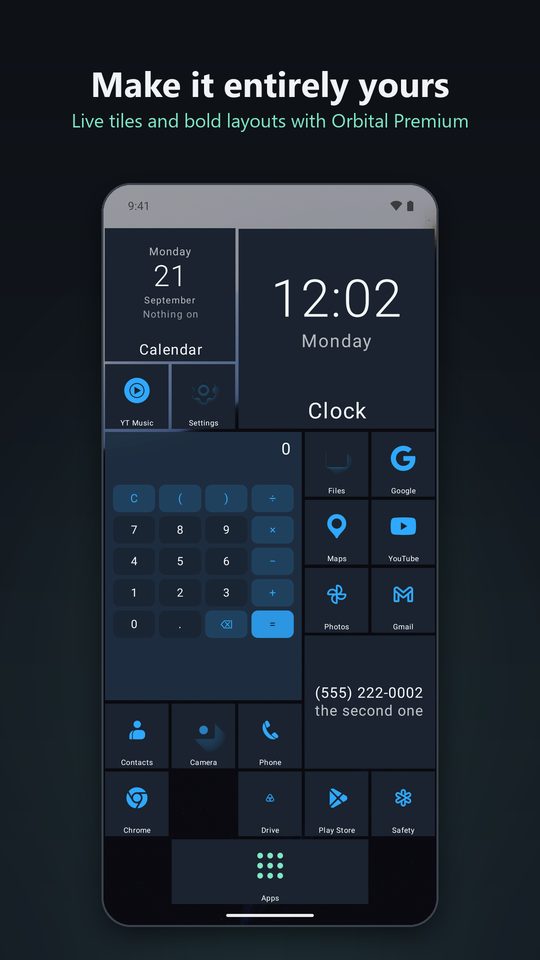
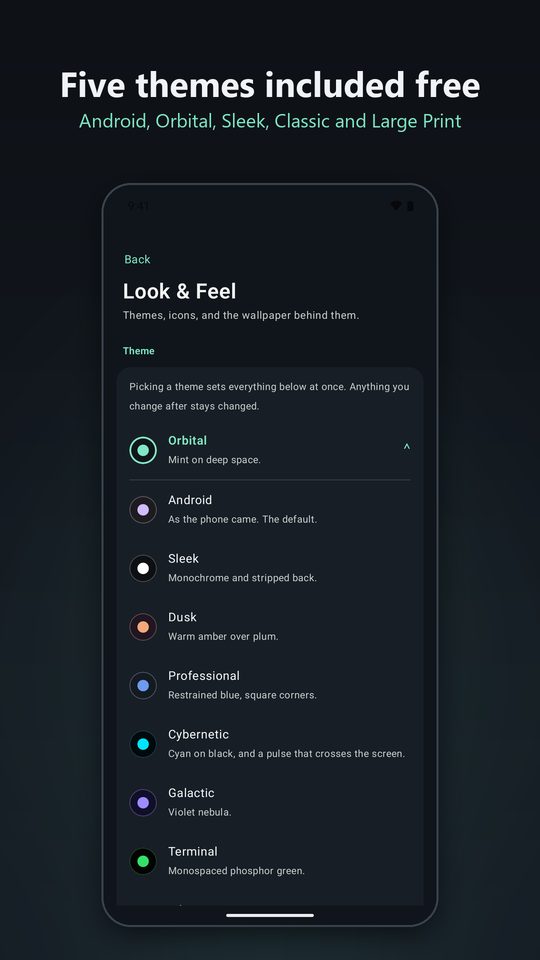
Screenshots from Orbital itself. Scroll sideways to see more.
New in Orbital
Some of the newest things in Orbital. Orbit Pad and Showcase, the two new home layouts, are further down, where you can try them.
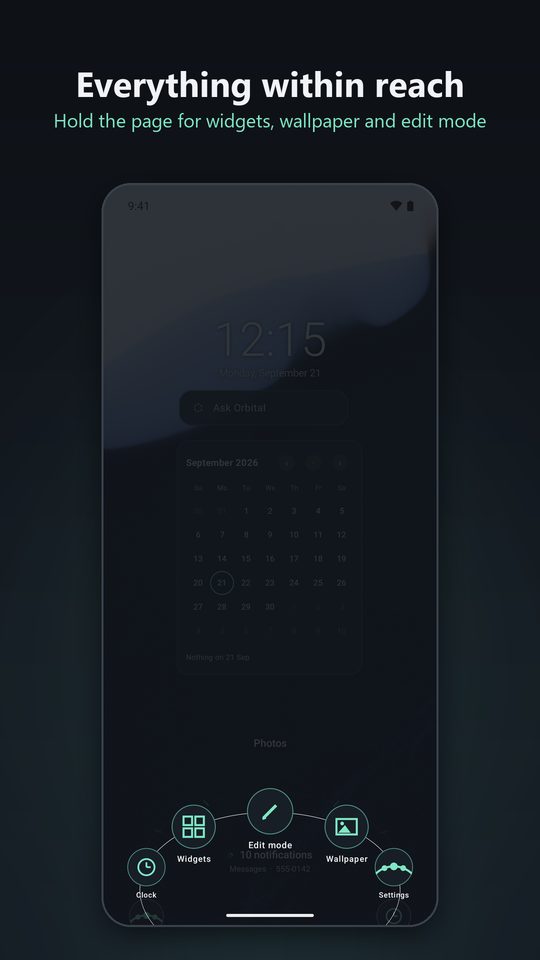
Save whole home screens and switch between them in one tap: one for work, one for home, one for the car, the gym or the night.
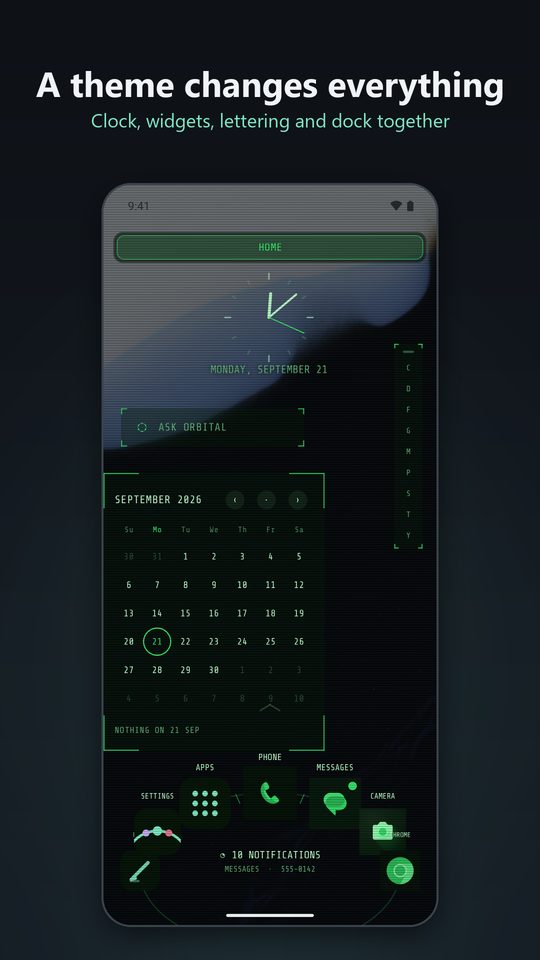
More than a hundred themes, many with hand-made wallpapers. Browse by mood and color or in curated collections, sort and filter the catalog, and hold any theme to see it on your own home screen first.
A wallpaper gallery with art from museum collections and NASA pictures, Match my wallpaper to take your colors from it, and a different wallpaper for each page if you like.
As a home layout, a dock or a widget. Apps grow as your thumb nears them, and every app on your phone is on the pad's rings.
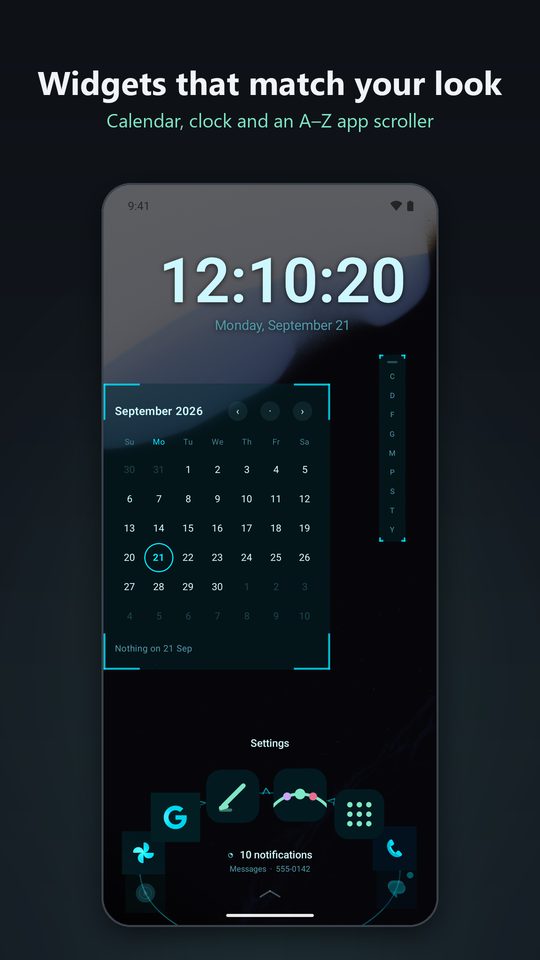
The letter rail can magnify the letters near your thumb and curve around it, in plain, pill or highlight style, set as far from the edge as suits your hand.
Pin a widget over every page, give each drawer tab widgets of its own, and see what's next with the Notifications & events widget ✦.
Keep an app's own icon, match it to the rest, take it from an icon pack, or pick your own.
Spanish, Portuguese, German, French and Hindi, with Orbital Assistant understanding you and answering in each of them.
Orbital tells you when an update is ready, restarts to finish it, and shows what's new afterwards.
The dock
Pick the style that suits your hand, and keep it with you inside your other apps.
Apps ride an ellipse along the edge of the screen. Turn it and the next app comes round to the front, right under your thumb.
Add a second and third ring for the apps you open a little less often. Drag outward from any icon to bring them within reach.
A familiar row of apps along the edge, with or without their names. Simple, and always in the same place.
A compact card of apps that scrolls to show more, set to the left, center or right. The rest of the edge can show the time, your battery, quick controls or frosted glass.
Turn the dock into an alphabet. Spin to a letter and its apps appear just above it, so every app on your phone is one flick away.
Keep the dock nearby while you use other apps. It rests as a slim handle at the edge and slides out as soon as you reach for it. Always free.
Home layouts
Five layouts, each with its own way of getting around. Switch whenever you like: your pages stay exactly as you arranged them, ready for when you come back.
Hold the pad where your thumb rests and every app orbits around it: your dock's apps closest, the ones you use most next, everything else further out. Slide onto one and let go to open it, reach outward to pull the outer rings in, and slide along a ring to spin it. Have up to three pads, each with apps of its own.
Large tiles in a row, recent apps first, over a backdrop in the color of the app you're on. Shelves for recents, pinned apps, games and music, the app's shortcuts and playback controls under each tile, and widget bays below. Works with a game controller too.
Swipe between pages as usual, and grow them in any direction: left, right, up or down. Name each page and place widgets exactly where you want them.
One open canvas that scrolls in every direction. Spread two fingers to open a folder or start a new one, and pinch to step back out. A small compass shows where you are.
Every app right on the home screen, as a grid or a list. Hold the background to add widgets above or below your apps.
Icons
Give every app the same outline, or leave them as their makers drew them. Then choose how they're colored: their own colors, flattened, or recolored to match your theme. Icon packs from the Play Store work too. Pick a shape below to see it.
✦ Choosing your own icon shape, color style and icon pack is part of Orbital Premium. Every free theme comes with a shape and style of its own.
Hexagon icons fit together edge to edge, row upon row, on your pages and in the app list.
Each app fills its square with its name across the foot. Live tiles turn over to show what's coming up.
Orbital Assistant
Ask Orbital understands everyday errands: texts, calls, emails, calendar events, notes, to-dos, reminders, alarms, sums, directions and searches. It shows you exactly what it's about to do and waits for you to confirm.
Start a line with a symbol to get there faster, like @ to text someone or + to add an event. Open it from the top of your app list, with a swipe down, as your phone's assistant, or with a slash from any app on a phone with a keyboard.
Most lines are understood right on your phone. With Premium ✦, you can also add your own key for Claude, ChatGPT or Gemini to help with the rest.
And much more
Calendar, week, up next, weather, now playing, news, your Bluesky and Mastodon feeds, notes, people, folders, a smart widget, an alphabet app scroller and more. Any Android widget fits right beside them.
One line in the middle of the orbit shows what matters now: your next event, the weather, what's playing, or a message that just arrived.
Open your phone to see two pages side by side, or give the big screen a layout, dock and theme of its own.
Large Print gives you high contrast, big buttons and every app named. Choose how quickly things move, or turn animation off. These are free for everyone.
A simple home screen with the apps you choose, big and clearly labeled, locked behind a PIN or pattern.
Start typing on the home screen to find an app, use hotkeys for everyday actions, and keep the home screen upright on slider phones.
Save everything to one file for your next phone, free for everyone. Share a layout with a friend ✦ without any of your personal details in it.
“Add to Home screen” from Chrome, Maps or Contacts places the shortcut right on your page, and other apps' widgets can be pinned the same way.
Orbital doesn't need an account and doesn't include analytics, ads or crash reporters. Your layout, notes and contacts stay on your device. Permissions are asked for only when a feature needs them, and anything you decline simply stays off.
Read the privacy policy, which lists every request that can leave your phone and exactly what's in it.
Questions
Yes. Orbital is free to download, and the free version is a complete launcher: every dock style on any edge, the dock over other apps, seven themes, Traditional pages, everyday widgets, icon packs, backups, Ask Orbital and every accessibility setting. Orbital Premium is optional.
Premium adds every theme, the Free roam, Drawer, Orbit Pad and Showcase layouts, more orbits, effects, icon shapes, extra widgets, Hotkey Layouts, Kids mode and more. You can choose monthly, yearly with a 7-day free trial, or a single one-time purchase that's yours for life, all through Google Play. See Free and Premium for the full list.
Orbital runs on Android 8.0 and later, on phones, foldables and phones with a physical keyboard.
Yes. Any Premium theme can be tried on your own home screen for a minute, with your own apps and widgets.
Orbital goes back to the free look, and nothing is deleted. Every choice you made is kept and comes back the moment Premium does.
Open your phone's Settings, go to Apps, then Default apps, then Home app, and choose the launcher you'd like. You can switch between them whenever you like.
Orbital has no account, no ads and no analytics. Your layout, notes and contacts stay on your phone. The privacy policy lists every request that can leave your phone and exactly what's in it.
Use the feedback form or email OrbitalLauncher@gmail.com. Every message is read.
Orbital is free on Google Play, with optional Orbital Premium.
The guide
Scroll or drag to turn the dock, then pick a topic.